Turn images, PDFs and
NotebookLM decks into
editable PowerPoint slides
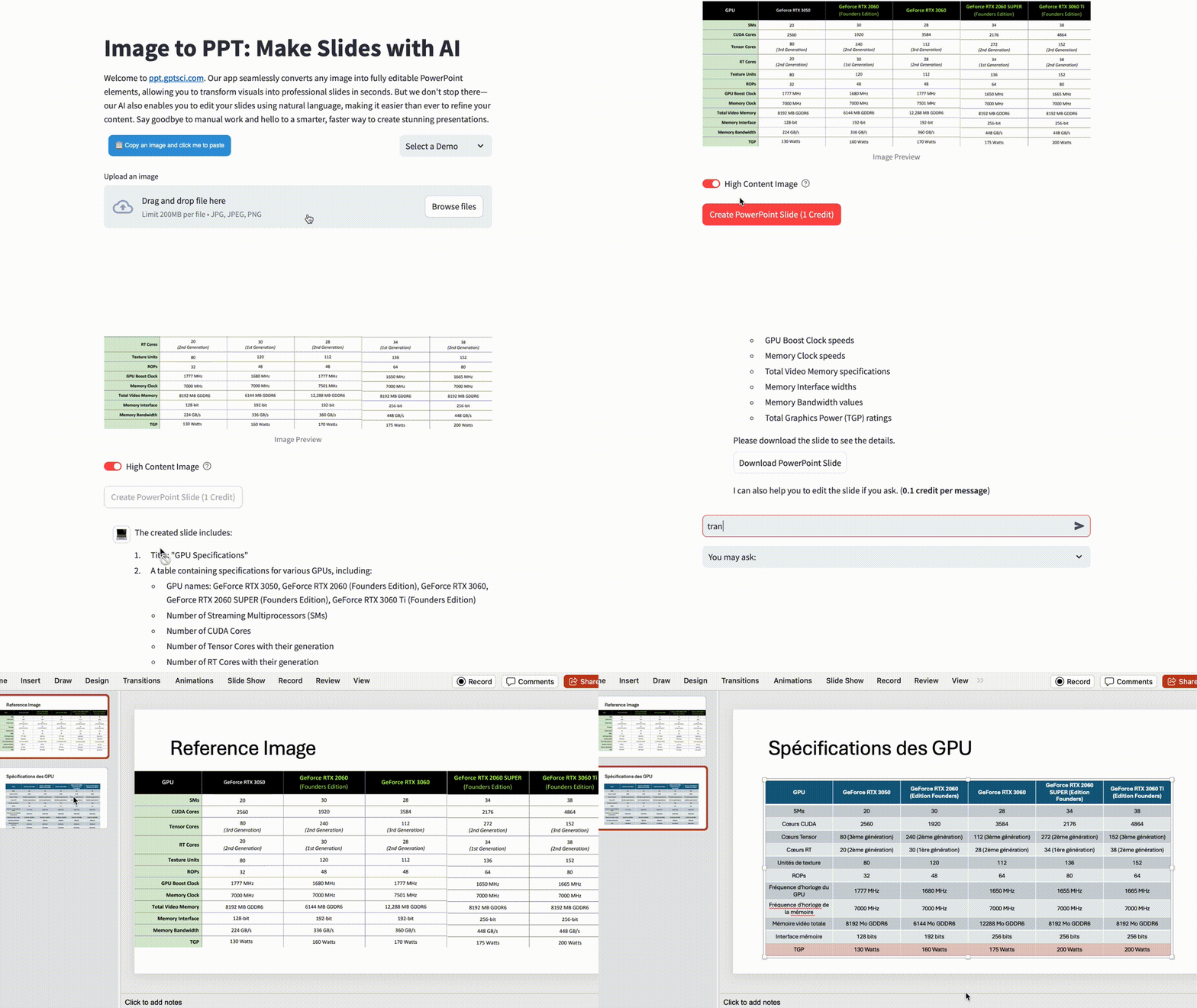
Our app rebuilds them as fully editable PowerPoint elements — real text boxes, tables and charts.
It also enables you to edit your slides using natural language.
Make high quality slides with AI.



- Stop wasting hours copying data—
our app makes it in a few clicks. -
- Cut down on preparation time and
focus on what matters.
Key Features
- Free credits Enjoy 5 free conversions each month with a simple registration
- User Interface Convert images to PowerPoint slides effortlessly with a user-friendly design.
- High Quality Transform images into high-resolution, editable slides, maintaining clarity and detail.
- NotebookLM to PPT Convert a NotebookLM slide deck into editable slides that keep the original artwork. See how it works
- Any Source, Whole Decks Start from images, PDF pages, a NotebookLM export or just plain text — up to 50 slides per batch, in order.
- Data Secured Your uploads are cleaned up automatically after your deck is delivered. You can delete your account and its data yourself at any time. See our Privacy Policy.
NotebookLM Slides Workflow
NotebookLM gives you a designed first draft, but every slide is a flat picture. This workflow takes it from draft to a deck you can present, edit and share.
- 1. Generate in NotebookLM Add your sources, create a Slide Deck, and download it as PDF or PowerPoint — unmodified.
- 2. Convert to editable slides Upload the export in the NotebookLM to PPT tab. The artwork stays as the background; every heading, table and chart is rebuilt as a native PowerPoint object.
- 3. Refine with plain language Ask for changes in chat — "translate to Spanish", "turn this into bullets", "add a Q4 row" — and get an updated file back.
- 4. Download and present Get one .pptx with the whole deck in order, or open it in Google Slides. Up to 50 slides per batch.
FAQ
-
Can I convert NotebookLM slides into editable PowerPoint?
Yes. NotebookLM draws every slide as a flat image, so its text is not editable in either the PDF or the PowerPoint download. Use the NotebookLM to PPT tab: upload the slide deck exactly as NotebookLM gave it to you, and each page comes back as a slide that keeps the original artwork as its background with every heading, paragraph, table and chart rebuilt as a native, editable PowerPoint object on top. Read the step-by-step guide.
-
What files can I upload?
Images (PNG, JPG, WEBP, BMP, TIFF and HEIC) and PDFs in the Image to PPT tab, and NotebookLM slide-deck downloads as PDF or PPTX in the NotebookLM to PPT tab. You can also skip files entirely and generate a slide from plain text in the Text to PPT tab.
-
Can I convert a whole deck at once?
Yes. Batch mode takes up to 50 slides per submission. Every image or PDF page becomes one slide in the original order, and you get back a single PowerPoint file containing the whole deck.
-
Are the converted slides really editable?
Yes. The output is a normal
.pptxwhose content is made of native PowerPoint objects — text boxes you can retype, tables you can add rows to, and charts with editable data. It is not a picture of a slide, so you can also restyle it to match your own template. -
Is there a mobile app?
Yes. Photo2PPT turns photos of slides into editable PowerPoint on your phone: take a picture of a slide on a screen, projector or printout, and the app crops, straightens and cleans it up, converts it with your Edit in PPT account and previews the result. Download it for Android; the iPhone version is coming soon.
-
Why did you build this app?
We started by solving our own needs in making high quality slides. We later found that many people have the same trouble and there is no good tool to solve this. So we decided to build this app to help more people.
-
Which AI model are you using?
We use GPT-6 and other vision-capable models to turn images into editable slides. As stronger models become available, we adopt them to deliver the best results.
-
Why do you ask users to register accounts?
The cost of processing images with AI is significant. Accounts help us manage usage fairly and prevent abuse.
-
How can I get more credits?
We provide 5 free credits every month for each user. You can also invite friends to register with your promotion code to earn extra credits after each successful registration.
-
Why do you charge for different number of credits?
More capable AI models provide better results for complex images, while lighter models are cost-effective for simple images. You can choose based on image complexity and desired quality.